New Free Expansion, Turkish Localisation, and Existing Level Reworks
Update 1.9.0 follows on from the third anniversary of Golfing in Aether and includes our free Anniversary expansion, featuring ten new levels and some celebratory themed hats. We’ve also improved existing levels, added Turkish language support, and introduced XP Level 7 with even more customisation options to unlock.

Free Anniversary Expansion
This update adds 10 new hand-crafted levels, bringing the total to 90 and expanding the pool of levels available for random course generation. All ten levels can be played across the game’s different modes and themes.
The expansion is completely free. On Steam it is provided as a separate DLC and should download automatically; on other platforms, the new content is included with the base game.
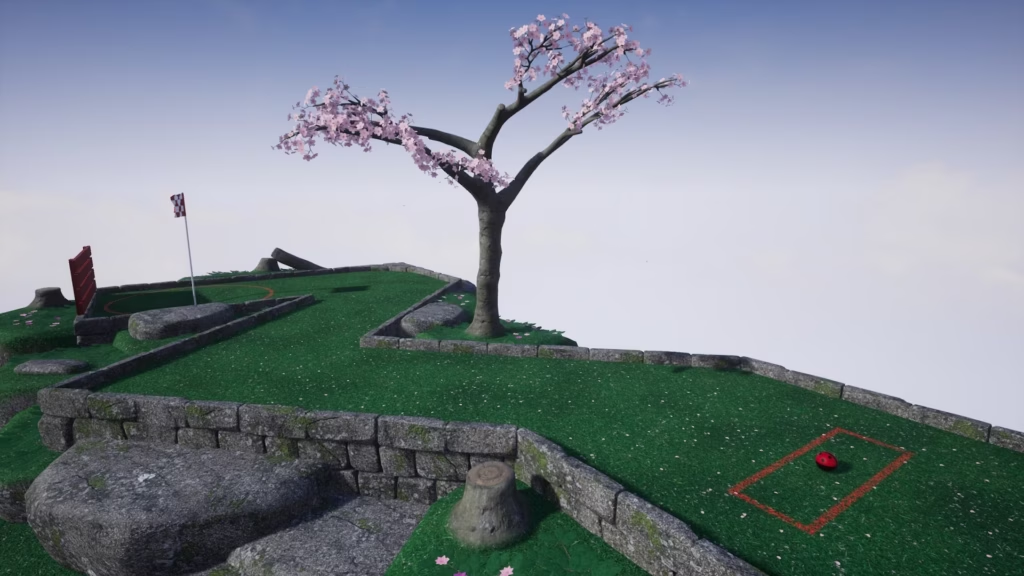
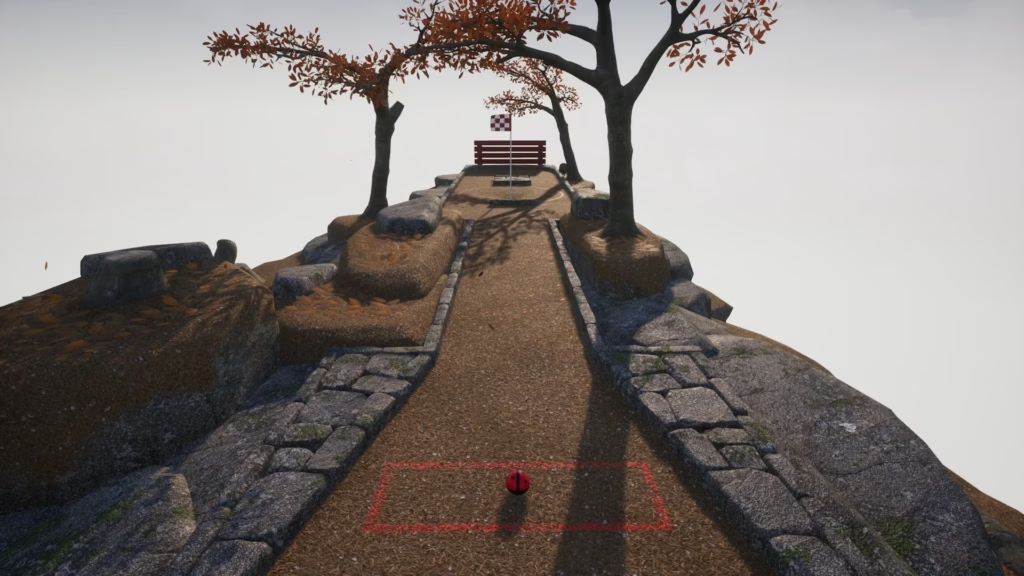
Starting off with two of the smaller levels, Sharp Angles and Angle Play add more variety to the early game, while also providing simpler layouts for players who prefer a course without a large number of obstacles.
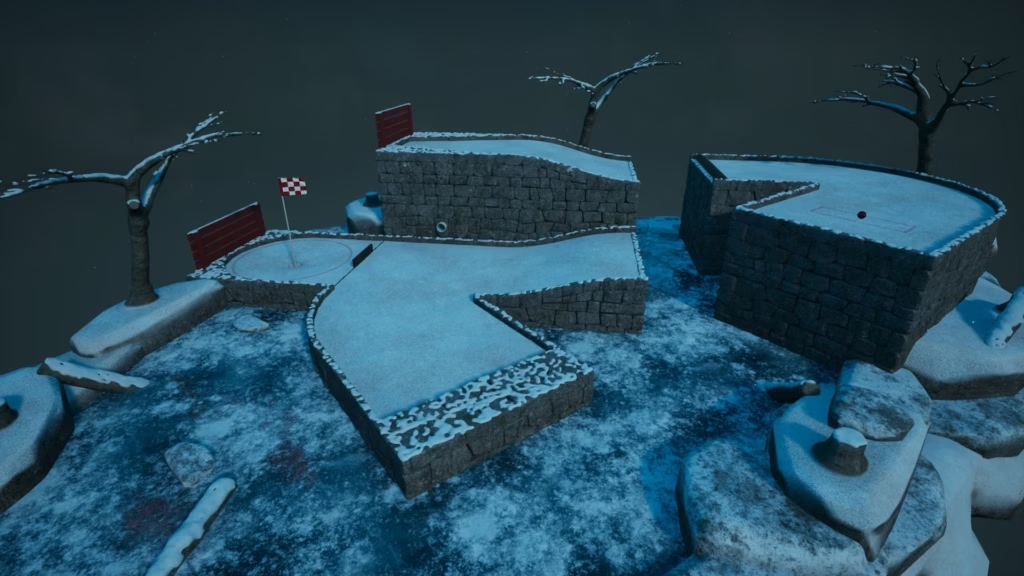
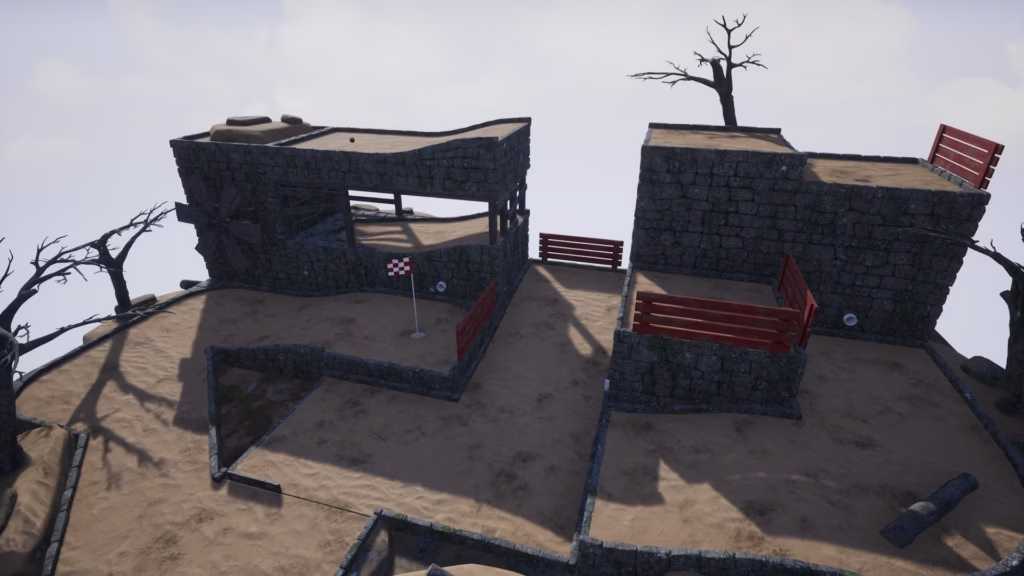
Next are Hop Across and Drop Zone, both of which feature a jump that requires players to rebound the ball into the next section. These levels add a different kind of challenge, with the angle and strength of each shot being particularly important.
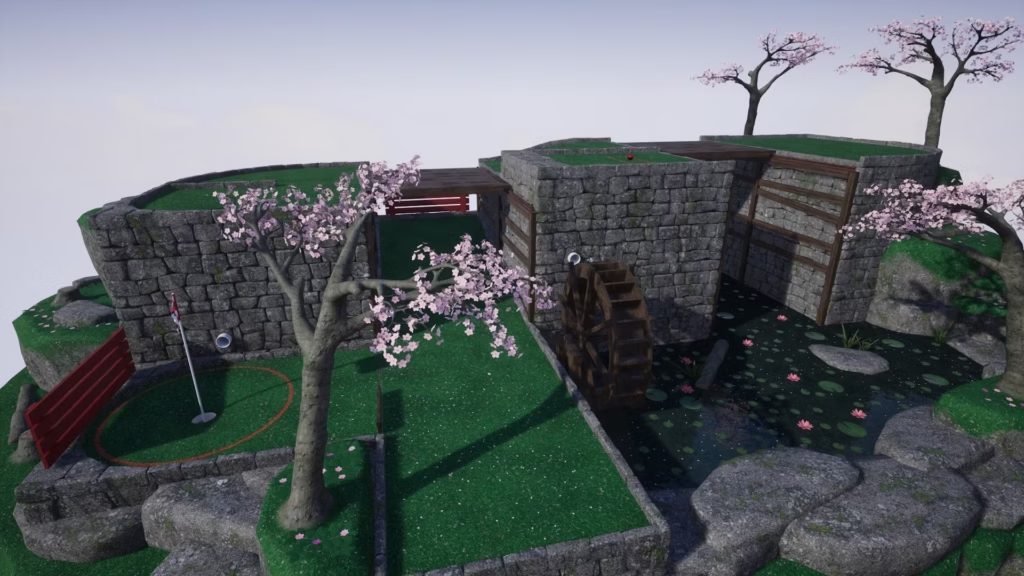
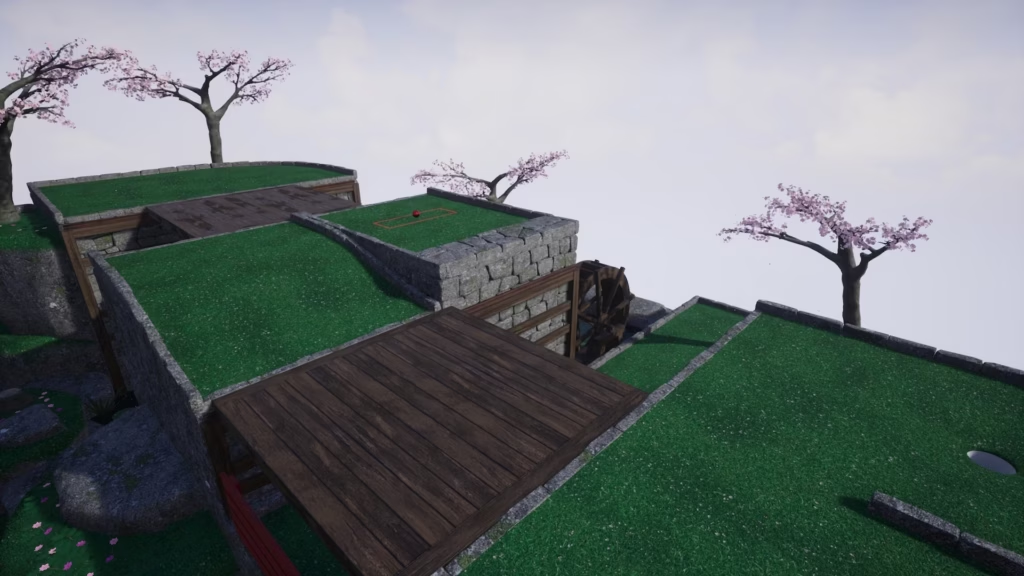
Twin Bridges uses the previously introduced moving platforms as an obstacle to cross. Successfully making it across both bridges requires careful timing, as well as accurate aiming to keep the ball on the right path.
Five additional levels are included in the expansion beyond those shown here. As with previous levels, all can be played in any available theme or season.

As part of this free expansion we’ve also added two new themed hats: the Party Hat and Cracker Hat. Both are available in different colors, making them suitable for a range of occasions.

Existing Level Reworks
The existing levels have received a range of visual and gameplay improvements, with the oldest levels seeing the most significant changes.
The most noticeable visual update is the addition of foliage, including flowing plants and reeds in selected ponds. Decorative elements such as rocks and trees have also been repositioned throughout the levels to accommodate these changes. Gentle Swing, shown above, also received a rework to the ground in its lower section.
Existing assets, including Cherry Trees, have received improved texture mapping and performance optimisations, along with a simple wind effect to better match the newer foliage.


On the left, Tee Time provides an example of the new sparse reeds added to pond areas, along with the autumn variation of the ground flowers. On the right, One Hill Over demonstrates some of the layout adjustments made to existing levels, with the double ramp now featuring a steeper curve and a longer flat section. This helps the ball come to a stop more quickly when caught in this area.
Shallow ramps and physical materials on other levels have also been adjusted to improve ball stopping in these sections

New XP Level & Unlocks
We’ve added XP Level 7, providing a new milestone to work towards while exploring the levels included in the expansion. The XP requirement is the same as progressing from Level 5 to Level 6.
Level 7 unlocks 3 new ball designs. Bovine features a cow-inspired design that can take on a few different appearances depending on the selected hat and colour. Band adds a new striped design, while Halftone offers a more unusual patterned style. All 3 designs can be customised with different colours.

Turkish Localisation
Golfing in Aether now supports Turkish localisation, bringing the total number of supported base languages to 8. This is the 4th update to introduce additional language support.
As with previous localisations, the Turkish translation has undergone QA, but some mistakes may still occur, particularly as Turkish is not a native language for us. If you notice any issues or have feedback on the translation, please let us know so it can be improved in future updates.
This update also includes improvements to several previously supported localisations.

Upgraded Unreal Engine to 5.6
With this update we’ve moved from Unreal Engine 5.3 to the newer Unreal Engine 5.6, along with this update will be newer versions of platform SDK’s so you should see performance improvements and bug fixes where these have been made.
Additional Improvements
Custom Game Settings
Custom games can now be configured to play 5, 9, or 18 holes, with 9 remaining the default. A new option also allows ball recovery to be disabled when going out of bounds, meaning balls that fall from an island or land in hazards remain out of play until the next hole. This provides an additional difficulty option and can also speed up games.
The custom game level selection now also displays a preview image for each level, making it easier to see which level you are selecting.
Leaderboard Display Settings
Leaderboard display options have also been expanded. You can now choose to prioritise friends or global rankings, show friends only, and continue to control which game modes display leaderboards and whether to use cross-platform or Steam-only rankings. These options can be found under Settings > Online.
Mono Audio Support
A new Mono Audio accessibility feature adds a Stereo as Mono setting, which converts stereo audio to mono and disables Spatial Audio when enabled. The setting is available under Settings > Sound and in the Accessibility menu.
For more information about this feature and our accessibility options, check out the Golfing in Aether Accessibility page.
Practice Mode Random Level Select
Practice mode now includes an option to select a level at random, making it quicker to jump into a random level without manually choosing one.
Additional Fixes
This update also includes a range of smaller improvements and bug fixes. See the full patch notes below for the complete list of changes.
If you encounter an issue, please report it through our support email. Even if you believe it may be a known issue, reporting it helps us track and address problems more effectively.
Patch Notes
General
- Added a no rescue option to custom game settings. If you end go out of bounds, such as water, or lava, it will be game over for the current level rather than resetting you.
- Added option to change the number of holes that a custom game will be made up of. This includes 5, 9, or 18 holes. When in an 18 hole game you will only see 9 floating islands at a time with the second 9 being visible upon hole 10. Note: the achievements Speedrun and Perfect will not work on 5 hole courses.
- Added mono audio support for accessibility. When enabled this will play stereo sounds in mono and disable Spatial Audio.
- Added Turkish localisation.
- Fixed reliability of hole exits, especially when spectating.
- Fixed an issue where if spectating it wasn’t always possible to free camera, or you would not free camera from the position of the player you are spectating.
- Fixed various minor camera behaviour issues.
- Fixed some minor rotator sync problems.
- Fixed one of the level sequence cameras for Hole in Fun not angled correctly.
- Fixed various minor local stat saving issues when playing in an offline state without a platform connection.
- Fixed a rare timing issue where it was possible for a client to obtain the incorrect spawn location.
- Fixed several minor cosmetic / accessory positioning sync issues when playing in multiplayer.
- Fixed a rare instance of being able to move the camera after skipping a level, the camera will now correctly snap to the flag as expected.
- Fixed various skipping level related issues when playing in local multiplayer.
- Fixed various multiplayer timing issues relating to spectating.
- Fixed an issue where some obstacles might not undo with shot in some modes.
- Fixed an issue where upon retry under some timing combinations you couldn’t retrigger a pipe camera.
- Fixed an issue where the camera when spectating and jumping between players doesn’t appear to be a seamless snap.
- Fixed some minor issues with tutorial when restarting it under uncommon scenarios.
- Fixed various minor behaviour issues with replays.
Platform
- Added updated Nvidia DLSS and AMD FSR versions.
- Fixed an issue where Nvidia DLSS wouldn’t work on Microsoft Game Store version.
- Fixed various issues with sharpness.
- Added updated platform SDK’s.
Customization
- Added customisation for XP Level 7, including Bovine, Band, and Halftone.
- Added additional brown color option to the cow novelty hat.
- Added Party, and Cracker hats as part of Anniversary Expansion.
Environment
- Added adjustment to the double ramp in “One Hill Over” so theres an extra bit of flat ground in between to make coming to a stop a bit easier.
- Fixed potential for ball to not stop yet move slow on very shallow ramps.
- Added additional flag textures for holes 10 to 18.
- Added additional foliage to all levels.
- Added quality of life improvements to visual appearance of all levels.
- Added improvements to cherry tree branches. This includes improved texture mapping and adding wind movement to leaves.
- Added new flowering plants to all levels with an autumn variant without flowers.
- Added reeds to ponds on some levels.
- Fixed a rock after the ledge in Rail Run not having a steep enough angle for the ball to roll off.
- Fixed some unusual camera behaviour that could occur on the painted line at tee if positioned and angled right on some levels.
- Fixed a part of Putt and Dunk near a ledge that auto resets you when it shouldn’t do.
- Fixed the top of towers on Fork in the road and possibly other levels not resetting when land on them.
- Fixed some rotators on distant islands spinning in the wrong direction.
- Fixed a rock placement on mill pond.
- Fixed a clipping rock in Bone Yard.
- Fixed the appearance of some pipe materials and meshes.
- Fixed the collisions of some flat ground pieces to be simpler and more efficient / reliable.
- Fixed minor overlapping pond ground materials on several levels.
- Added adjustments to some ramp meshes so they have slightly steeper angle the lowest part in order to fit more flat at the bottom. This is to help with rolling / stopping on some levels and is barely noticeable visually.
Interface
- Added additional options to custom game menu for hole amounts and no rescue.
- Fixed custom game options having the wrong scrollbar color in dark mode.
- Fixed scoreboard having an incorrect scroll fade color in dark mode.
- Fixed How-to-XP menu missing out an XP value for style.
- Added larger level preview and current rank for selected level in the custom levels menu.
- Added changes to description in custom levels menu in relation to ability to choose number of holes. Now says ‘required’ instead of ‘nine’.
- Fixed a minor inconsistency with navigation when using the mouse and switching to gamepad in the custom levels menu.
- Added a ‘Random’ option to practice menu. This will initially pick at random a level you’ve not previously gotten a rank in for easy, then hard, and then just be completely random.
- Added online settings option to change how leaderboards are displayed on the scoreboard XP page. This includes the default current option, or giving more focus to friends, or just friends only entirely.
- Fixed an issue where if you tried to skip, restart, or return to main menu upon pausing just as about to go into the hole could lead to holeout still playing. The ball will now be frozen in place.
- Fixed possible to hear navigation sounds while on Podium.
- Added improvements to the consistency of the scoreboard headers.
- Fixed the controller icon on the ingame/pause menu appearing bit inconsistently blurry compared to other menus.
- Added options to set stereo to mono in both sound and accessibility settings menus.
- Added improvements to how player avatars are rendered on various menu screens. Rather than separate layers for glasses and the ball they will combined as a single image. This will improve the appearance when fading in and out.
- Improved appearance of quick chat search box when in lobby/scoreboard.
- Fixed an issue where when pressing escape to cancel quick chat search the pause menu could open.
- Fixed an issue where on some platforms opening an overlay as host with controller disconnect can cause a pause to an online session with players.
- Fixed various power indicator behaviour issues on some platforms.
- Fixed an issue here names might still show when in a hole.
- Fixed some wording on the scoreboard.
- Fixed the ‘X’ for none selected in accessories which wasn’t appearing correct under some theme / contrast combinations.
- Fixed an issue where pause menu didn’t always appear in replay under specific combinations.
- Fixed level names in the custom levels menu had potential to clip in some localisations.
- Fixed incorrectly labelled game menu if player 1 plays using a local profile in some game modes.
- Fixed an issue where a shared input player cannot pause.
- Fixed various minor shared input settings display depending on combination of profiles selected.
- Fixed some quick chat input overlaps.
- Fixed an issue where an unloaded player would see WWWWWWW on one of the scoreboard menus if timed right.
- Fixed various minor pixel alignment issues with scoreboard and quick chat.
- Fixed decal behaviour bouncing when switching views on scoreboard rapidly.
- Fixed ‘view’ button sometimes appearing on scoreboard when no need to change view, such as when leaderboards disabled in practice mode.